Your Website's Accessibility Is Now the Law (If You Sell to the EU)
Since June 2025, the European Accessibility Act requires many websites and apps that sell to EU consumers to be usable by people with disabilities. Here's a plain-English guide: who it covers, what it actually asks for, and how to fix an existing site without rebuilding it.
Does your website have to be accessible by law? If you sell to people in the EU, the answer is now very likely yes.
Since 28 June 2025, the European Accessibility Act (the EAA) has applied across the European Union. It requires many digital products and services, including a lot of everyday websites and apps, to be usable by people with disabilities.
Most business owners I talk to have either never heard of it, or think it only applies to big European companies. Neither is true. So here’s the plain-English version I wish someone had given me.
A quick note: I’m a designer and developer, not a lawyer. This is a practical overview, not legal advice. If you’re unsure whether you’re covered, check with a legal professional in the relevant country.
Why this matters (beyond the law)
Around 1 in 4 adults in the EU lives with some form of disability. Add older users, people with a broken arm, someone squinting at their phone in bright sunlight, or anyone on a slow connection, and accessibility stops being a niche topic. It’s simply good design for everyone.
The EAA just makes it official.
Who it applies to
The EAA covers specific products and services sold to consumers in the EU. On the services side, the ones most relevant to websites and apps include:
- E-commerce: online shops and anything where consumers buy products or services online
- Consumer banking services
- E-books and the software used to read them
- Passenger transport services (air, bus, rail and water), including their websites, apps and e-tickets
- Electronic communications and access to audiovisual media services
On the products side it covers things like computers, smartphones, e-readers, ATMs and ticketing machines.
It follows the customer, not the company
This is the part most people miss. The EAA applies to services offered to consumers in the EU, wherever the business is based. A US, UK or North Macedonian company selling to customers in Germany or France can be covered, exactly like a European one.
The micro-business exemption
Microenterprises that provide services are exempt from the service requirements. That generally means businesses with fewer than 10 employees and an annual turnover or balance sheet of no more than €2 million. Small, but not micro? You’re likely in scope.
There’s also a narrow exemption for cases where meeting a requirement would fundamentally change the service or be a disproportionate burden. But it has to be assessed and documented. It’s not a general “we’re too busy” pass.
What it actually asks for
The EAA itself describes requirements in general terms: a service has to be perceivable, operable, understandable and robust. In practice, websites and apps are measured against the European standard EN 301 549, which builds on the WCAG 2.1 guidelines at level AA.
That sounds intimidating, but most of it comes down to things a careful designer and developer should be doing anyway:
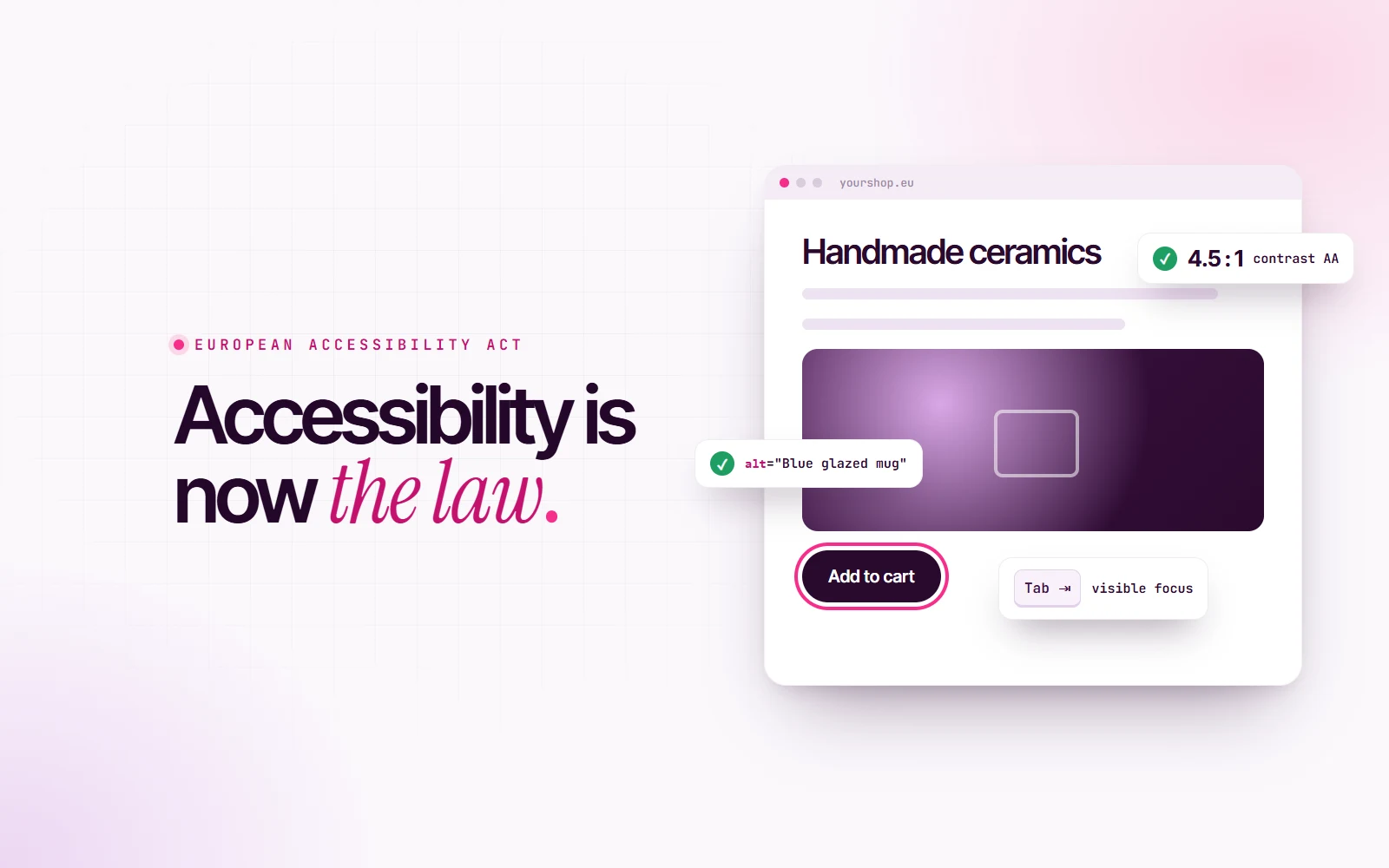
- Enough color contrast. Normal text needs a contrast ratio of at least 4.5:1 against its background. Large text and important interface parts (like button borders and icons) need at least 3:1.
- Alt text on images. Every meaningful image needs a short text description, so screen readers can describe it. Purely decorative images should be hidden from them.
- Full keyboard access. Everything you can do with a mouse must be doable with the keyboard alone: menus, forms, sliders, pop-ups, checkout.
- Visible focus. When you tab through a page, you have to be able to see where you are. Removing the focus outline “because it looks ugly” is one of the most common failures on the web.
- Labels on form fields. A placeholder isn’t a label. Every input needs a real label, and errors need to be explained in text, not just a red border.
- Don’t rely on color alone. “Fields in red are required” fails anyone who can’t see red. Add an icon, a word or a pattern.
- Captions and transcripts for video and audio content.
- Text that resizes. The page should still work when someone zooms to 200%, and on a narrow phone screen without sideways scrolling.
- A clear structure. Real headings in the right order, descriptive links (not ten “click here”s), and a page language set in the code.
- Respect motion settings. Animations should calm down for people who’ve turned on reduced motion, and nothing should flash rapidly.
Services also need to explain how they meet the requirements, usually through an accessibility statement on the website.
“Can’t I just install an accessibility widget?”
You’ve probably seen them: a little floating icon that promises to make your site compliant with one line of code.
Unfortunately, they can’t. An overlay sits on top of your site. It can change font sizes and colors, but it can’t fix the structure underneath: missing labels, buttons that don’t work with a keyboard, images with no description, a checkout a screen reader can’t follow. Many disabled users actively dislike them, because they often get in the way of the assistive technology people already use.
Accessibility isn’t a layer you add at the end. It’s how the site is built.
What happens if you ignore it
Enforcement is handled by each EU country, so the details and the penalties vary from country to country. Authorities can investigate, require fixes and, in some countries, issue fines or restrict a service. But honestly, the bigger cost is quieter: every person who can’t complete your checkout is a customer you’ve lost, and a story about your brand you didn’t want told.
How to fix an existing site (without rebuilding it)
The good news: most websites don’t need a rebuild. They need a focused round of fixes.
- Run an automated check. Free tools like WAVE, Lighthouse in Chrome or axe DevTools catch the obvious issues: contrast, missing alt text, missing labels. They only find a portion of the problems, but they’re the perfect start.
- Unplug your mouse. Try to complete your most important journey (buying something, booking, contacting you) using only Tab, Enter and the arrow keys. Wherever you get stuck, so does someone else.
- Fix the templates, not the pages. Most issues live in shared components: the header, the menu, the product card, the form. Fix one component and you fix it everywhere.
- Check your colors. Test text and buttons with a contrast checker and adjust the shades that fail. It’s often a small tweak that keeps your brand intact.
- Write the alt text. Start with product images and anything that carries meaning.
- Try a screen reader for ten minutes. VoiceOver is built into Mac and iPhone, and NVDA is free on Windows. Ten minutes will teach you more than any checklist.
- Publish an accessibility statement. Say what you’ve done, what’s still in progress, and how people can contact you if something doesn’t work for them.
The bottom line
The European Accessibility Act isn’t really asking for anything new. It’s asking for websites that work for everyone, which is what good design and good engineering should have been delivering all along.
If you sell to EU customers, now is the time to check. And if you’d like a hand, auditing and fixing websites so they’re both beautiful and accessible is exactly what I do. Let’s talk.